
URL and method
The full URL the browser requested and the HTTP method used (GET, POST, etc.).
A HAR (HTTP Archive) file is a log of every network request a browser makes during a session. When bundled into a timestamped certificate, it proves exactly which URLs were visited and what responses the server returned at the moment of certification.

HAR 1.2 is a widely supported JSON format used by browser developer tools and network analyzers. Each entry in a HAR file describes one HTTP request the browser made during the recorded session.
The full URL the browser requested and the HTTP method used (GET, POST, etc.).
The HTTP status code (200, 404, 500…) and reason phrase returned by the server.
The headers exchanged between browser and server — content type, caching, redirects, security headers.
How long each request spent in DNS, connect, send, wait, and receive phases.
The remote IP address the browser connected to for each request, when available.
Every hop in a redirect chain is captured as its own entry, preserving the full path.
A screenshot shows what the user saw. A HAR file shows what the browser actually requested and what the server actually returned. Bundled into a signed, timestamped certificate, it answers questions that a screenshot alone cannot:
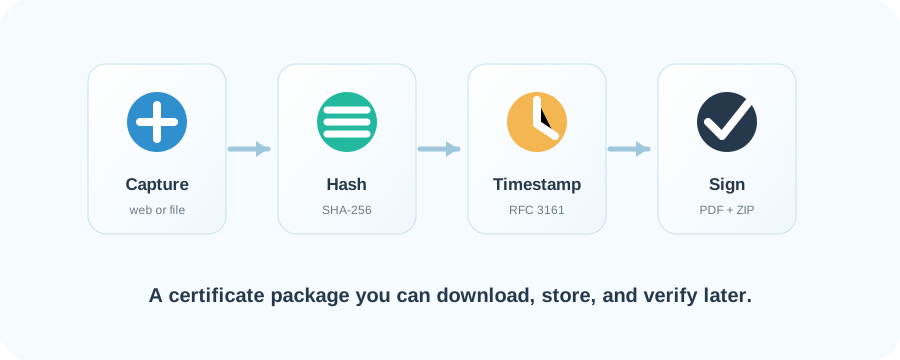
Every browser session certificate includes a network.har file inside the metadata ZIP. Three steps to open it:
network.harInside the metadata ZIP, look for network.har. That single JSON file is the full HAR log.For privacy and security, the HAR files produced by instantproof.legal omit two categories of data:
URLs, methods, status codes, and timings are preserved so the certificate still proves which resources were requested and how the server responded. Sensitive payloads are stripped before the HAR is signed and bundled.
A HAR file is plain JSON, but a viewer makes it easy to scan requests, filter by status, and check the server IPs. Because a certificate's HAR records the URLs you certified, we recommend our own viewer: it parses the file entirely in your browser — nothing is uploaded.
Drop in your network.har and get a sortable table of every request — method, status, type, domain, path, size, timing and server IP. Runs locally; the file never leaves your machine.
A web-based analyzer for a sortable list of requests, response codes and timings. Note: uploading evidence to a third party may not suit sensitive material.
An open-source HAR viewer with detailed waterfall charts and per-request inspection. Runs entirely in your browser.
Every browser session certificate ships with a signed, timestamped HAR file alongside the PDF and metadata ZIP.